Sending rules, caps and approval
What has to be true before a letter actually leaves HQ — the five gates it passes, where each one is set, and why a queued letter is sitting still.
Updated
4 min read
A sequence letter does not go out the moment it comes due. Every five minutes HQ looks at what is queued and sends only the letters that pass five gates in order. This page is the map of those gates: where each is set, what it does, and how to read "why has this not gone yet".
If you have not set up a sending address yet, start with Send email from your own address.
The five gates, in order
| # | Gate | Where it is set | Skipped when |
|---|---|---|---|
| 1 | Approval | Settings → Sending rules | I approve is on and nobody pressed S |
| 2 | Sending window | Sales → Accounts, per address | Outside the hours or days that address sends |
| 3 | Account cap & warm-up | Sales → Accounts, per address | That address already sent its allowance today |
| 4 | Minimum gap | Sales → Accounts, per address | The last letter from that address went too recently |
| 5 | Day caps | Settings → Sending rules + the sequence | The workspace cap, the per-domain cap or the sequence's own cap is used up |
A letter that fails a gate is skipped, not failed: it stays queued and is looked at again on the next pass. Pressing send by hand in the Outbox goes past gates 2–5 — the one letter you chose goes now.
Two rules are not gates and have no override: the Suppression list and an enrollment that has ended. Nothing sends to a suppressed address, ever.
Settings → Sending rules
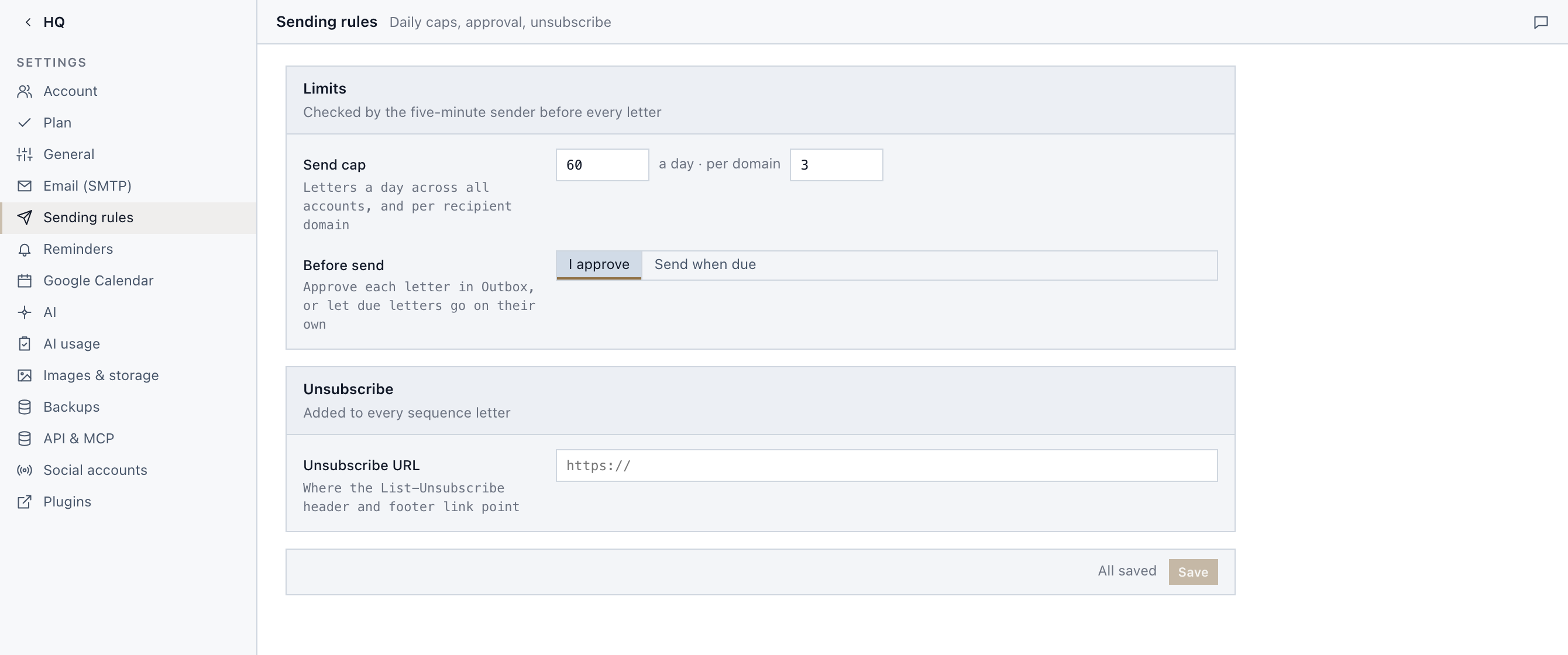
Send cap — 60 a day. The most letters this HQ sends in a day, counting every address together. It is the ceiling above all the per-address caps: four addresses allowed 40 each still cannot send more than this between them.
Per domain — 3. The most letters a day into one company's mail server. Mailing five people at
acme.com on the same morning looks like a blast to their gateway and gets the whole domain filed
as bulk; three is the default for a reason. Free mail hosts (gmail.com, outlook.com, naver.com,
icloud.com and the rest) are millions of separate people rather than one company, so the per-domain
cap does not apply to them.
Before send.
- I approve (the default) — due letters are written into the Outbox with their real text and wait there. Nothing goes out until you press S. Keep this on for the first few weeks.
- Send when due — the five-minute job sends on its own, still inside the window, the gap and every cap.
Unsubscribe URL. Goes into the List-Unsubscribe header and the footer of every sequence
letter, so a recipient can get off the list in one click instead of marking you as spam. Replies you
write by hand are not touched.
Per address: window, warm-up, gap
The numbers that matter most are on each sending address, under Sales → Accounts:
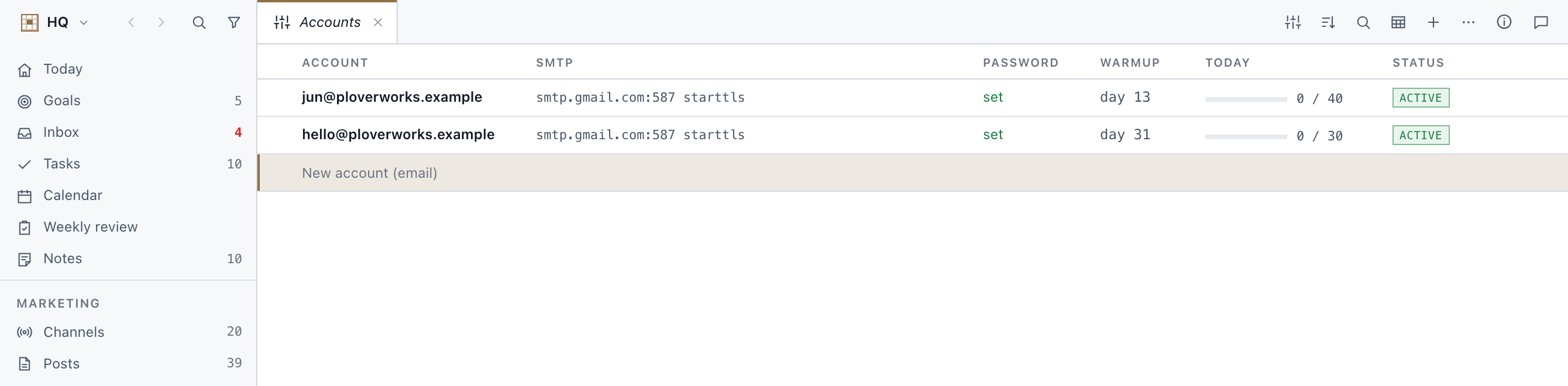
| Setting | Default | What it does |
|---|---|---|
| Send window | 09:00–18:00, weekdays | Hours and days this address may send, in the workspace's timezone. A letter that comes due at night waits for the next morning |
| Daily cap | 40 | The most this address sends in a day |
| Warm-up | start 5, +5 a day | A new address starts at 5 letters and adds 5 a day until it reaches the daily cap. Today's real allowance is the warm-up number, not the cap |
| Min gap | 180 seconds | The least time between two letters from the same address, so sending does not look like a machine |
| Signature | — | Added under every letter from this address |
For cold email the usual advice is 30–50 letters a day per address. To send more, add another address rather than raising the cap.
The sequence's own cap
A sequence can hold its own daily cap, on top of everything above — useful when one campaign should not eat the whole day's allowance:
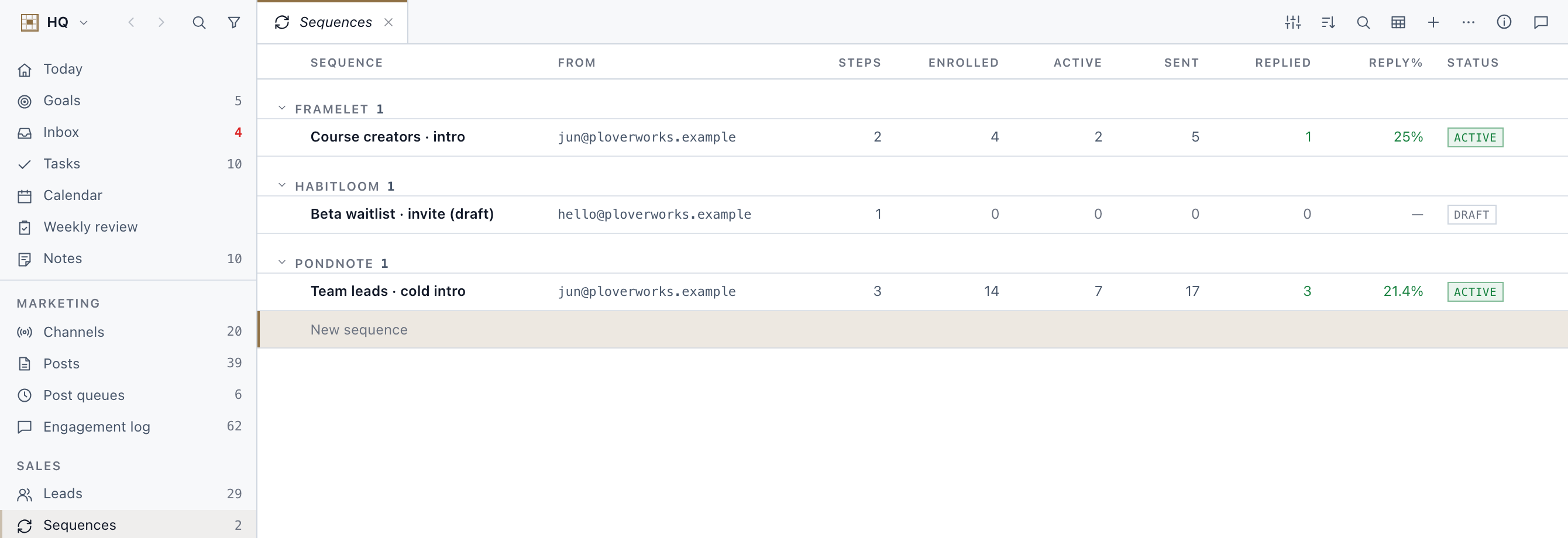
Leave it empty and only the address's cap and the workspace cap apply.
Reading the Outbox
Outbox is where due letters wait, already filled in with the real text of each step.
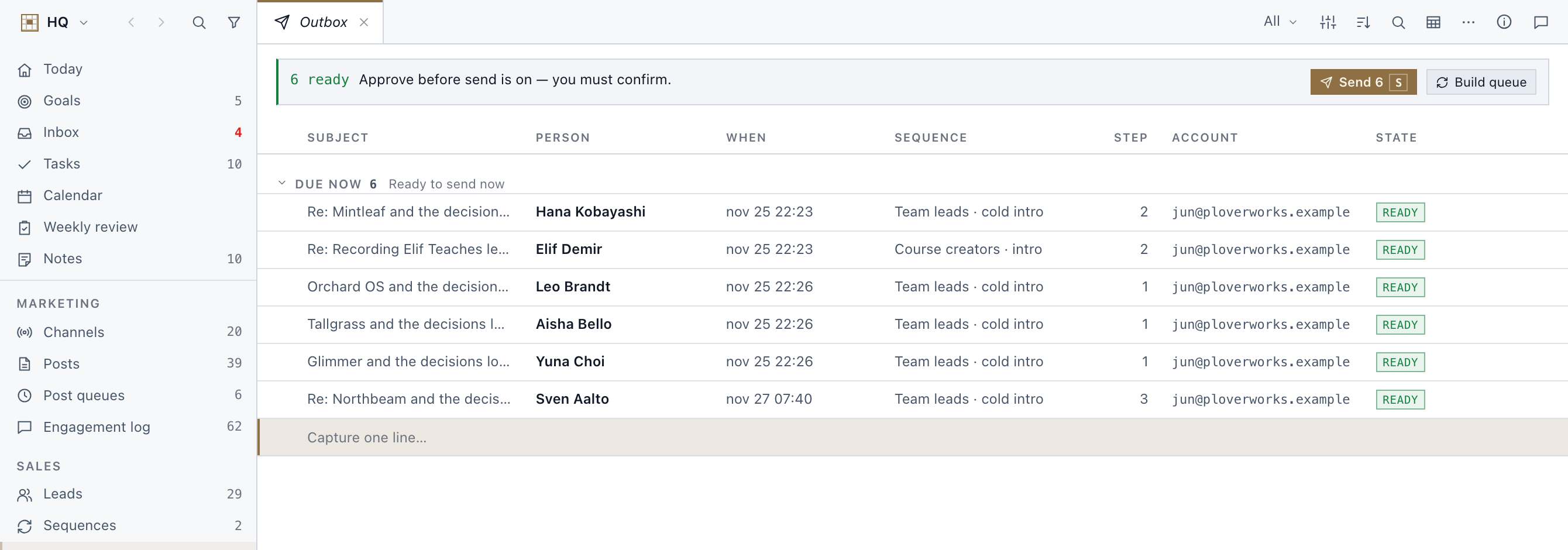
- Due now — can go right now. S sends them.
- Later — not yet due, or outside the window.
- Failed — the server refused it; the reason is on the row and it can be retried.
- Build queue — does now what the five-minute job does: finds enrollments whose next step is due,
fills in the
{{variables}}and writes the letters. With I approve on, it still sends nothing.
A letter whose person replies is deleted from the Outbox before it can go — a reply ends the enrollment, and a step already waiting goes with it.
Suppression: the list nothing gets past
Sales → Deliverability holds the addresses and domains HQ must never write to again.
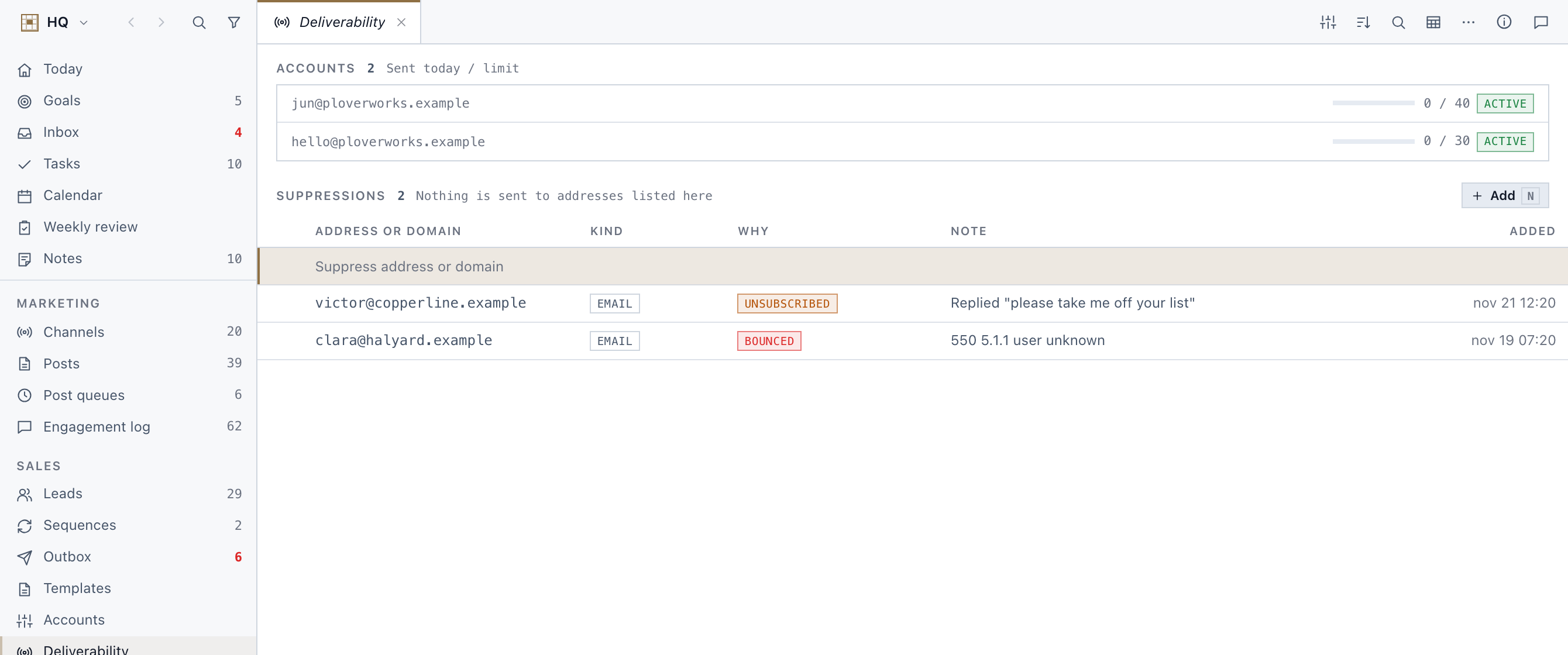
- bounced — the address does not exist. Added automatically; a bounce rate above roughly 2–3% damages the sending address itself.
- unsubscribed — they asked you to stop. Added when they use the unsubscribe link.
- complained — they reported you as spam.
- manual — added by you. A competitor domain, or a customer who should never get cold mail.
Enroll a suppressed person in a sequence and HQ will take the enrollment but send nothing.
Why is this letter not going out?
| What you see | Why |
|---|---|
| Outbox says ready, nothing sends | I approve is on — press S |
| Later, with hours to go | Outside the address's send window |
| Ready all day, a few go each morning | The warm-up allowance for today is used up |
| One person at a company gets mail, the next waits | The per-domain cap (3 a day) |
| Everything stops mid-afternoon | The workspace send cap (60 a day) |
| Nothing has gone since you added the address | No password saved on it, or it is paused — check Settings → Email |
| failed: Sample address | HQ never sends to example.com and other reserved test domains |
| failed: Not sendable | The person is suppressed, has no address, or has opted out |