Set up the AI panel
Your own Anthropic or OpenAI key, the model each conversation uses, how much it is allowed to write without asking — and what it costs, to the cent.
Updated
3 min read
The AI panel (⌘J) is there to do the typing: paste a chat screenshot and it files the people, the messages and the metrics; ask a question and it checks with read-only SQL and draws the answer. It runs on your own API key, so what it costs is what the model provider charges, with nothing on top.
Where the setting lives
Settings → AI for keys, model and behaviour. Settings → AI usage for what it has cost.
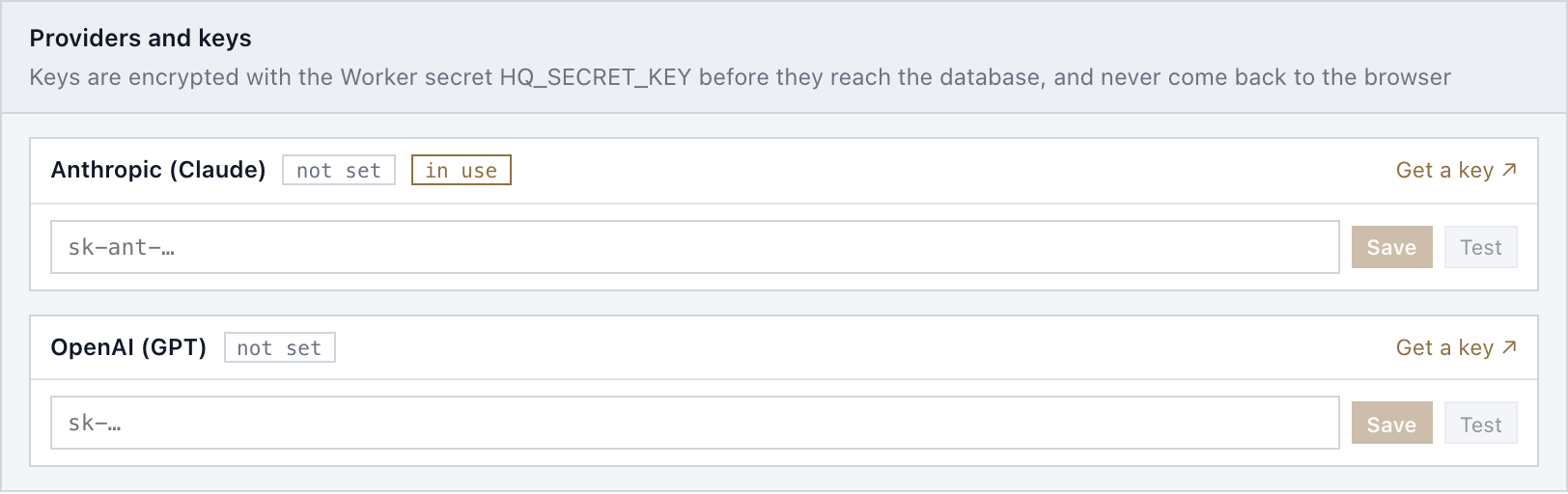
Add a key
- Make a key at your provider — Anthropic console
(
sk-ant-…) or OpenAI (sk-…). Either one is enough; you can save both and switch. - Paste it in and press Save, then Test — the test makes one tiny call and tells you whether the provider accepted the key.
The key is encrypted with the Worker secret HQ_SECRET_KEY before it reaches the database and
never comes back to the browser — once saved, the box shows only that a key is there. Replace it
by pasting a new one; remove it and the panel stops.
Put a spending limit on the key at the provider. It is the one control HQ cannot give you, and it turns a runaway loop into a failed call instead of a bill.
Choose a model
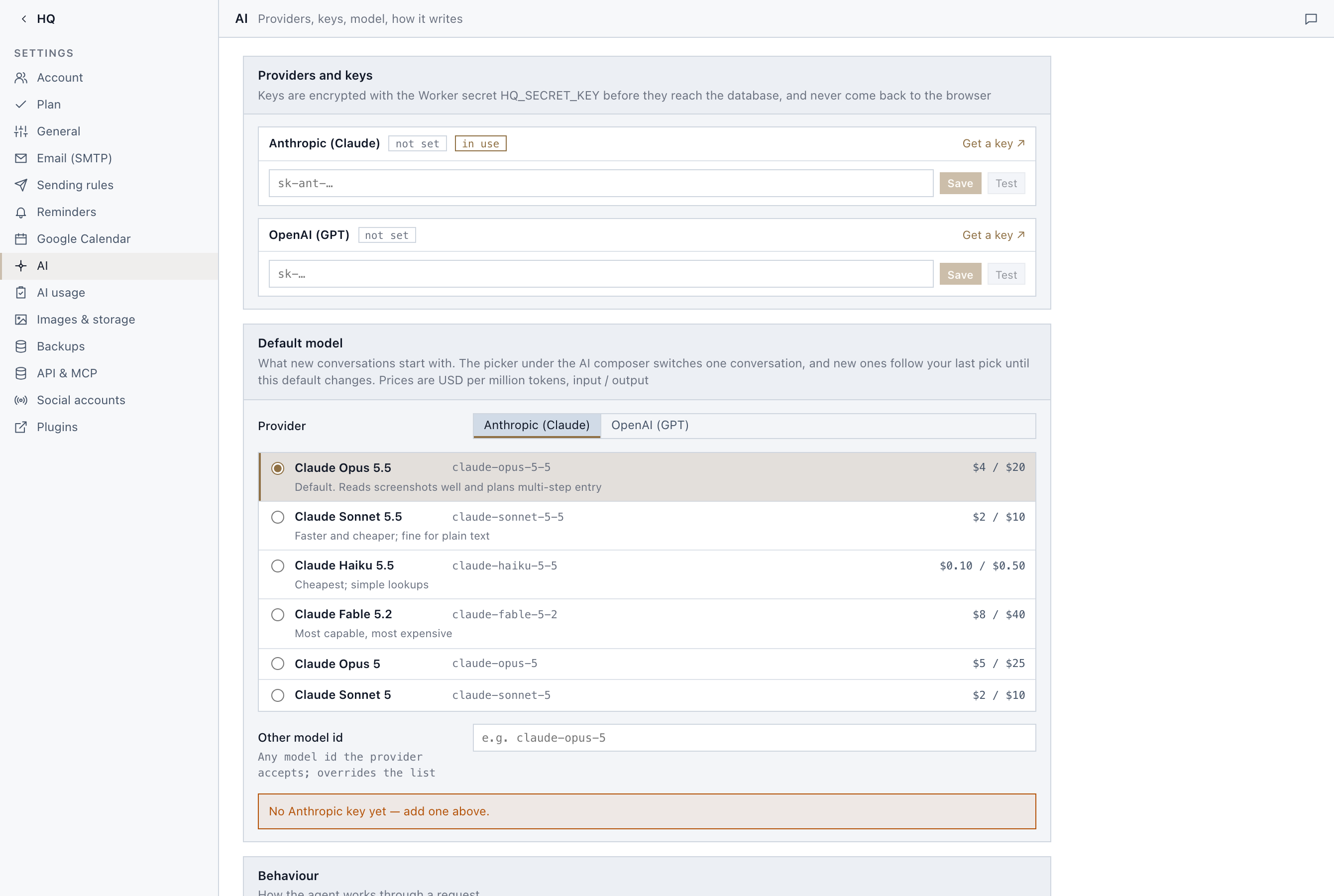
The default is Claude Opus 5.5 — it reads screenshots well and plans multi-step entry, which is most of what the panel does. The list shows the price of each model next to it, so the trade-off is in front of you rather than in a pricing page:
| If you are | Pick |
|---|---|
| Pasting screenshots and letting it file things | the default, Opus 5.5 |
| Running plain-text entry all day | Sonnet 5.5 — several times cheaper, fine for text |
| Doing simple lookups | Haiku 5.5 — the cheapest by an order of magnitude |
| Working on something genuinely hard | Fable 5.2 |
This is a default, not a lock. The picker under the composer switches the model for one conversation, and new conversations follow your last pick until you change the default here. Other model id takes any id the provider accepts, for a model newer than this list.
Decide what it may do on its own
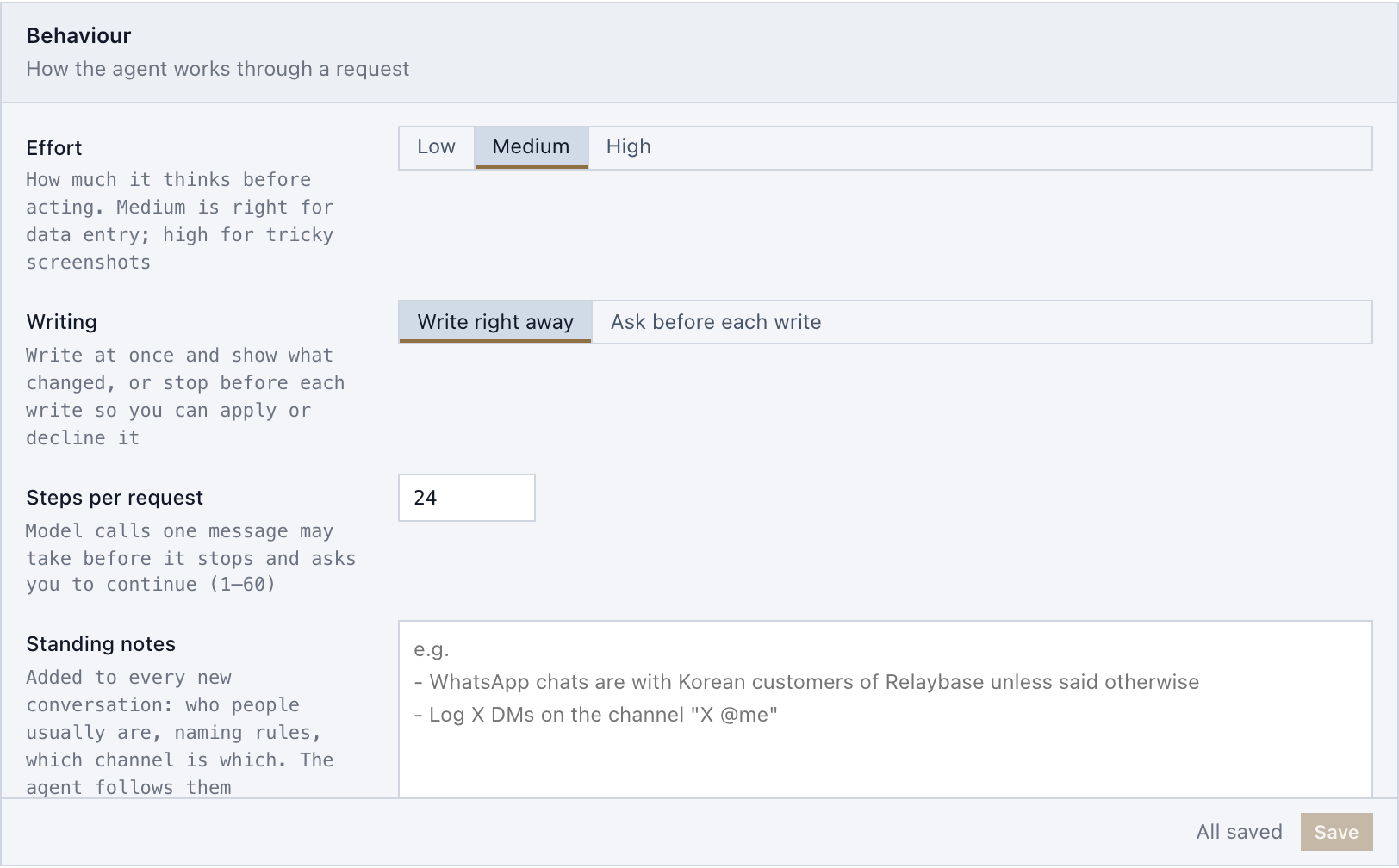
Effort — how much it thinks before acting. Medium is right for data entry; High earns its cost on a messy screenshot.
Writing — Write right away (it writes, then shows you what changed) or Ask before each write (Apply / Decline on every one). Start on ask for a week, then relax it.
Deleting never follows this setting. A delete always waits for Apply, and the card lists everything that goes with it — the conversation, its messages, the handles. Change more than 20 existing rows in one request and it starts asking one at a time; past 100 it refuses.
Steps per request — how many model calls one message may take before it stops and asks you to carry on (1–60, default 24). This is your cost ceiling per message.
Standing notes — added to the start of every new conversation. This is where the panel gets good: "WhatsApp chats are with Korean customers unless said otherwise", "log X DMs on the channel X @me". Rules you would otherwise retype every time.
Watch what it costs
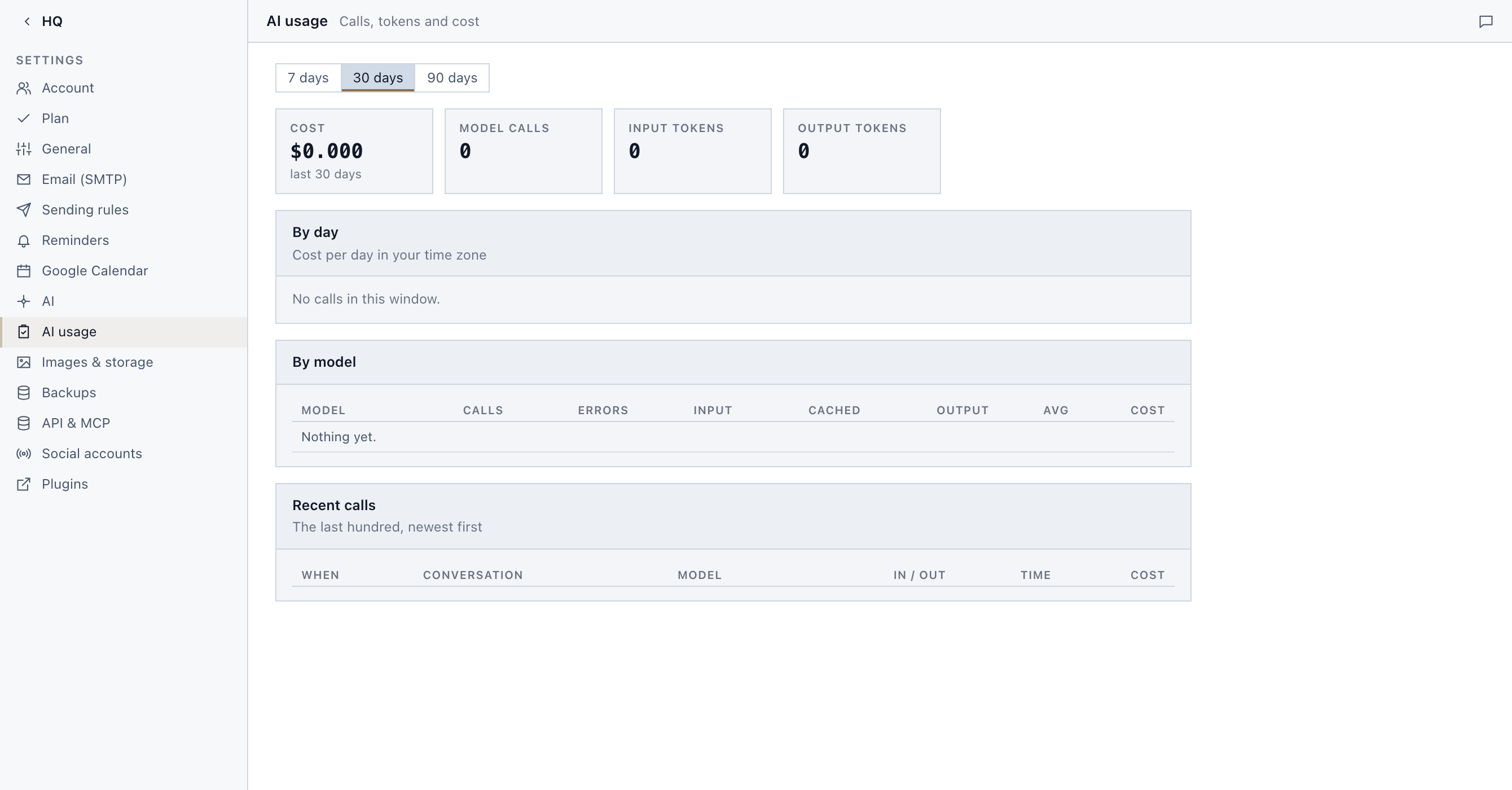
Every call is priced and recorded: by day, by model, and the last 100 calls with their errors. There is no estimate — these are the provider's own token counts against the prices in the model list. Check it after the first week; it is usually smaller than people expect, and it tells you whether a cheaper model would do.
Using it
The panel opens with ⌘J and runs down the right-hand side of the window.
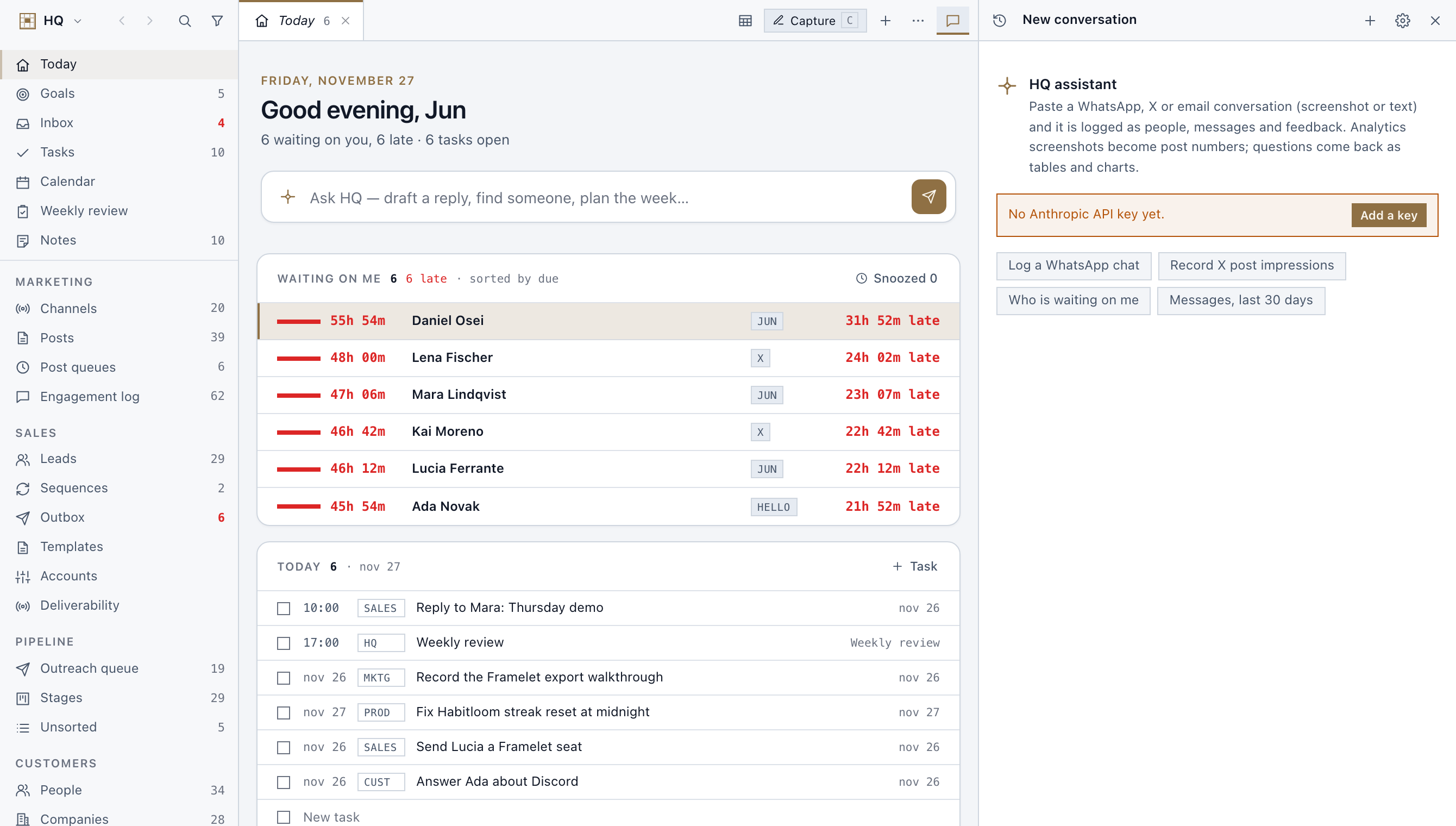
- Paste a screenshot, a chunk of chat, or an analytics capture (⌘V or drag it in). It finds or creates the person, attaches the handle, and writes each message once — the same capture pasted twice does not double up.
- Ask a question and it answers from read-only SQL, as a table, a number or a chart.
- Everything it writes is in the activity log as
actor = ai, and the chips in its answer open the record it touched.
To use HQ from Claude itself — claude.ai, the Claude app, Claude Code, Cursor — press Connect to Claude in Settings → API & MCP: Connect HQNote to Claude. A script takes a key instead: Let a script read and write HQ.