The first five minutes
Your name, your timezone, and the four numbers that decide who shows up on Today as late and who shows up as going cold. Set these once.
Updated
3 min read
HQ has very few settings, and four of them do most of the work: they decide who appears on your screen each morning and when. They are all on one page, they take a minute, and everything else in the app reads them.
Where the setting lives
Settings → General — in the web app at /settings/general, or press ⌘, and pick it.
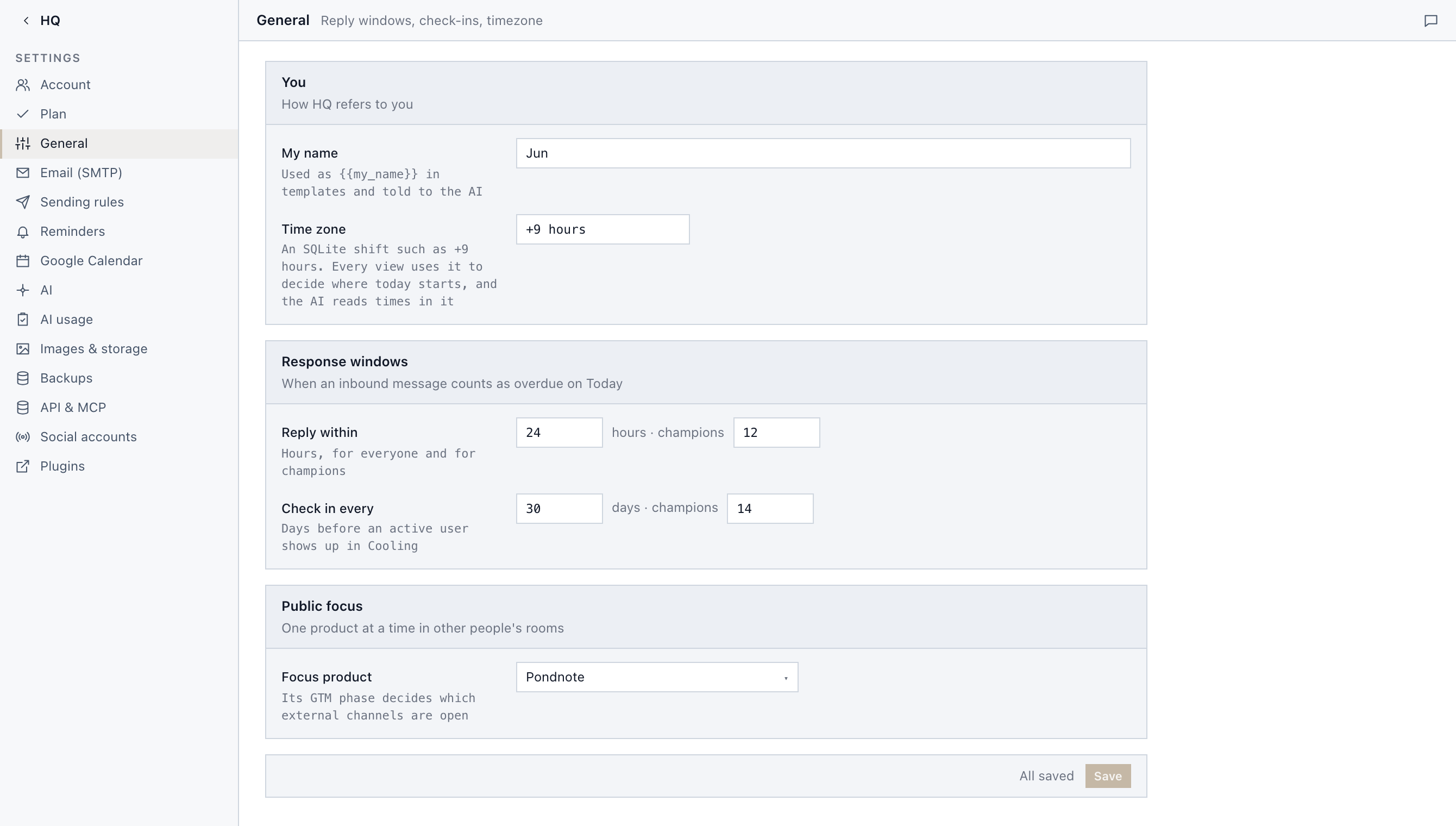
You
My name is what HQ calls you on Today, what {{my_name}} becomes in an email template, and what
the AI panel is told you are called. Write it the way you sign a letter.
Time zone is an SQLite shift — +9 hours for Seoul, -5 hours for New York, +0 hours for
UTC. It is not decoration: it decides where today starts. Every count on Today, every "sent
today" against a sending cap, every daily goal and every date in the weekly review is cut at
midnight in this zone. Set it before you start entering things, or yesterday's work will keep
landing on today.
Response windows: what "late" means
Two numbers, and the whole Today screen hangs off them.
Reply within — 24 hours, champions 12. When someone writes to you and you have not written back, HQ counts the hours. Past this number the row turns red and says how late it is:
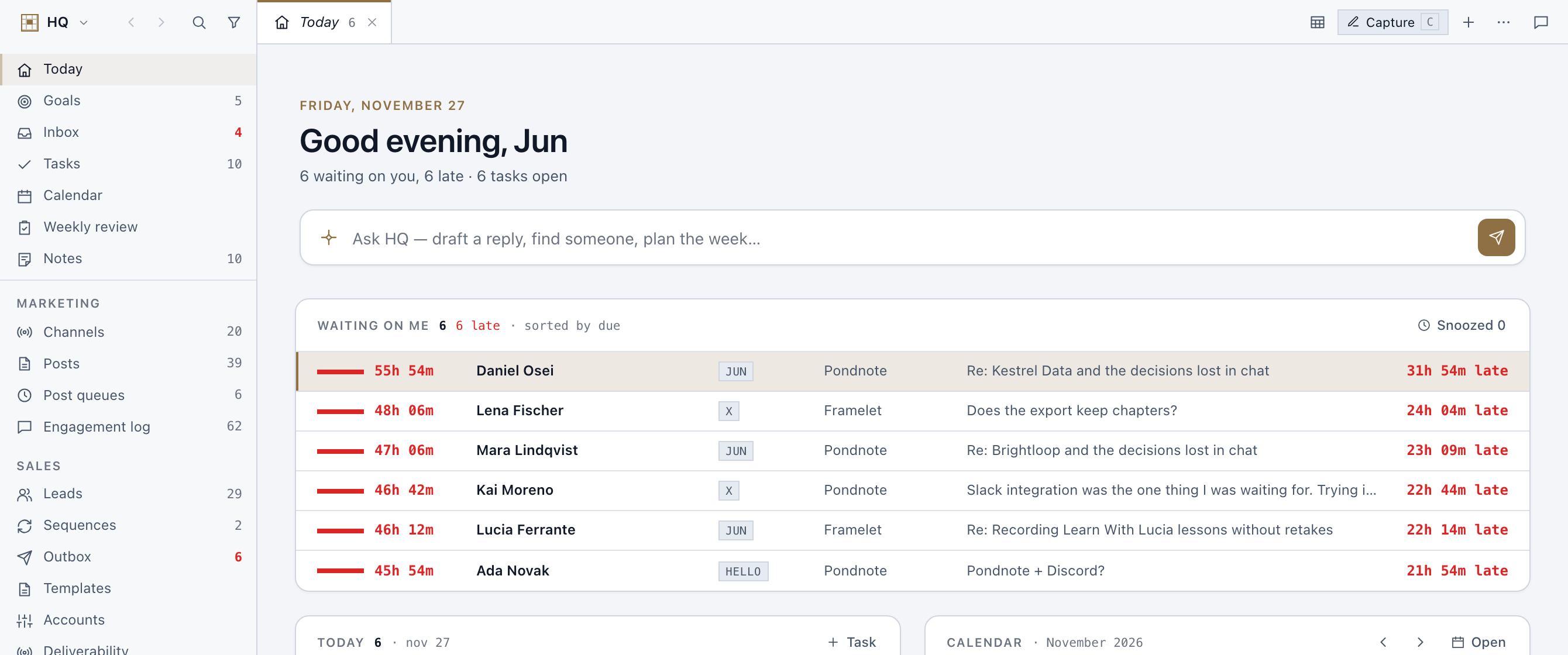
A champion is someone you marked as such on their person record — an early customer, someone who sends you other people. They get the shorter window, because they are the ones you cannot afford to leave waiting.
Check in every — 30 days, champions 14. This is the other direction: not someone waiting on you, but someone you have stopped talking to. Anyone actively using a product who has had no contact for longer than this shows up on Cooling:
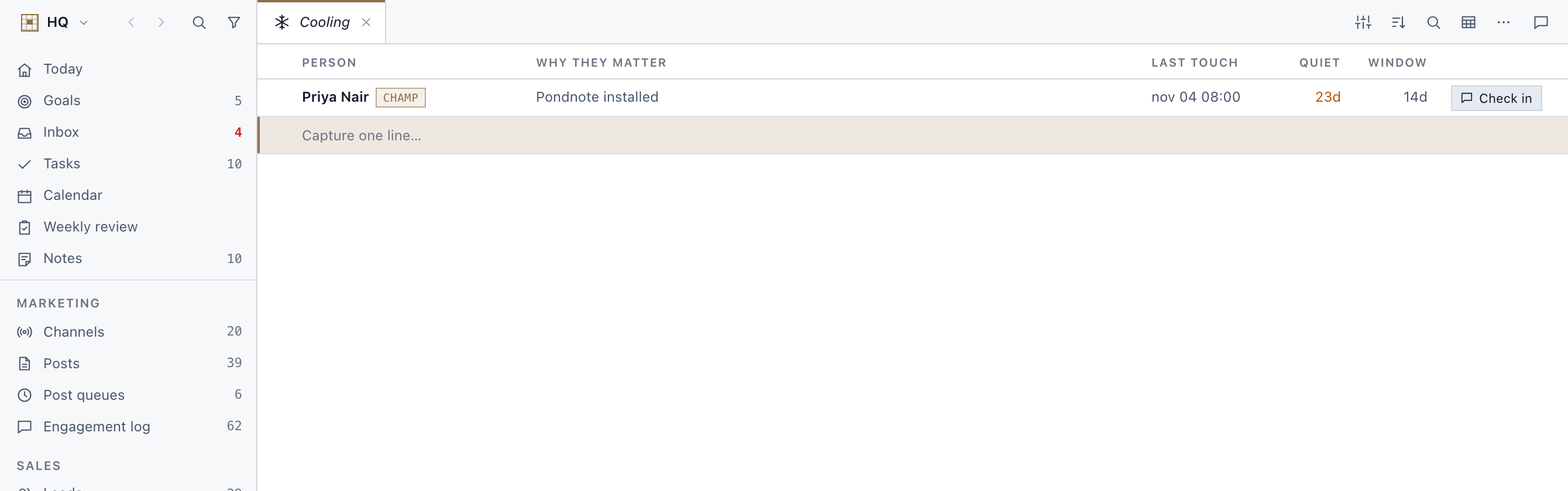
One person can have their own interval on their record, which wins over this default.
What to set them to. The defaults are good. Shorten the reply window if you are selling and a day is too slow; lengthen the check-in if 30 days of silence is normal for your product. Changing them changes nothing in the data — both screens are computed live from these numbers, so you can tune them any time and see the lists move.
Public focus
One product at a time in other people's rooms. The product you pick here, and the GTM phase on that product, decide which external channels count as open today:
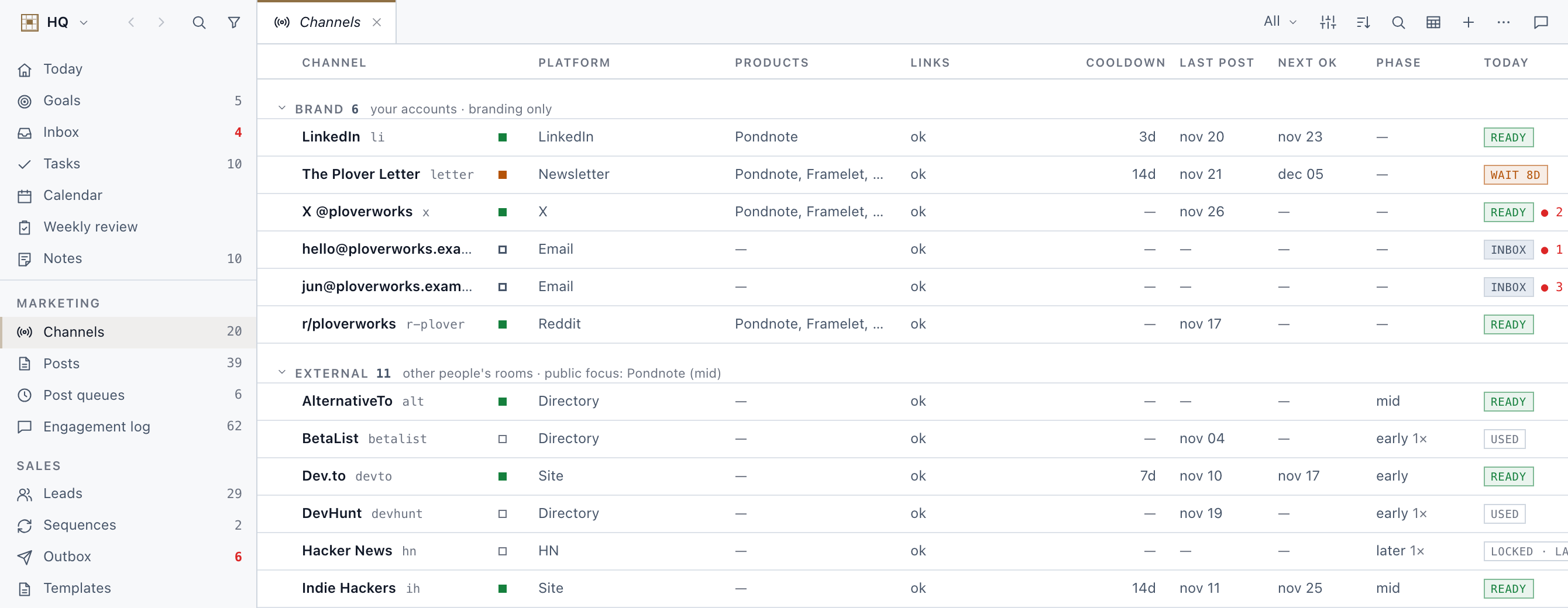
A channel that belongs to someone else (a subreddit, a forum, a Discord you are a guest in) carries a phase. If its phase is later than your focus product's, it reads LOCKED · later — HQ's way of saying this room is for when you have something bigger to show. Your own channels are not gated this way.
Leave it on None if you are not posting in other people's rooms yet. Nothing breaks; the phase check simply goes quiet.
Saving
Nothing saves as you type. The bar at the bottom says Unsaved changes and the Save button lights up; one press writes all of it. Press Esc to leave settings and go back to where you were.
What to do next
- Send email from your own address — so sequences and replies can actually go out.
- Sending rules, caps and approval — the limits that decide when a letter leaves.
- Backups — check the nightly copy is really running.